


Connect all your devices

The complete 4-step guide: Intervals.icu is the bridge between your watch and Lapko.

4 minConnect your devices
GarminPolarWahooCorosSuuntoWhoop
Devices and apps you can connect to Lapko: Garmin, Strava, Intervals.icu, Wahoo, Polar, Coros
Intervals.icu is the bridge: it collects activities, sleep and HRV from your devices and pushes Lapko workouts straight to your watch.

1. Create your Intervals.icu account

Go to intervals.icu and log in, or create a new account: it takes less than a minute.

You don't need perfect numbers: FTP, weight and max heart rate can be edited any time. What matters is getting in.
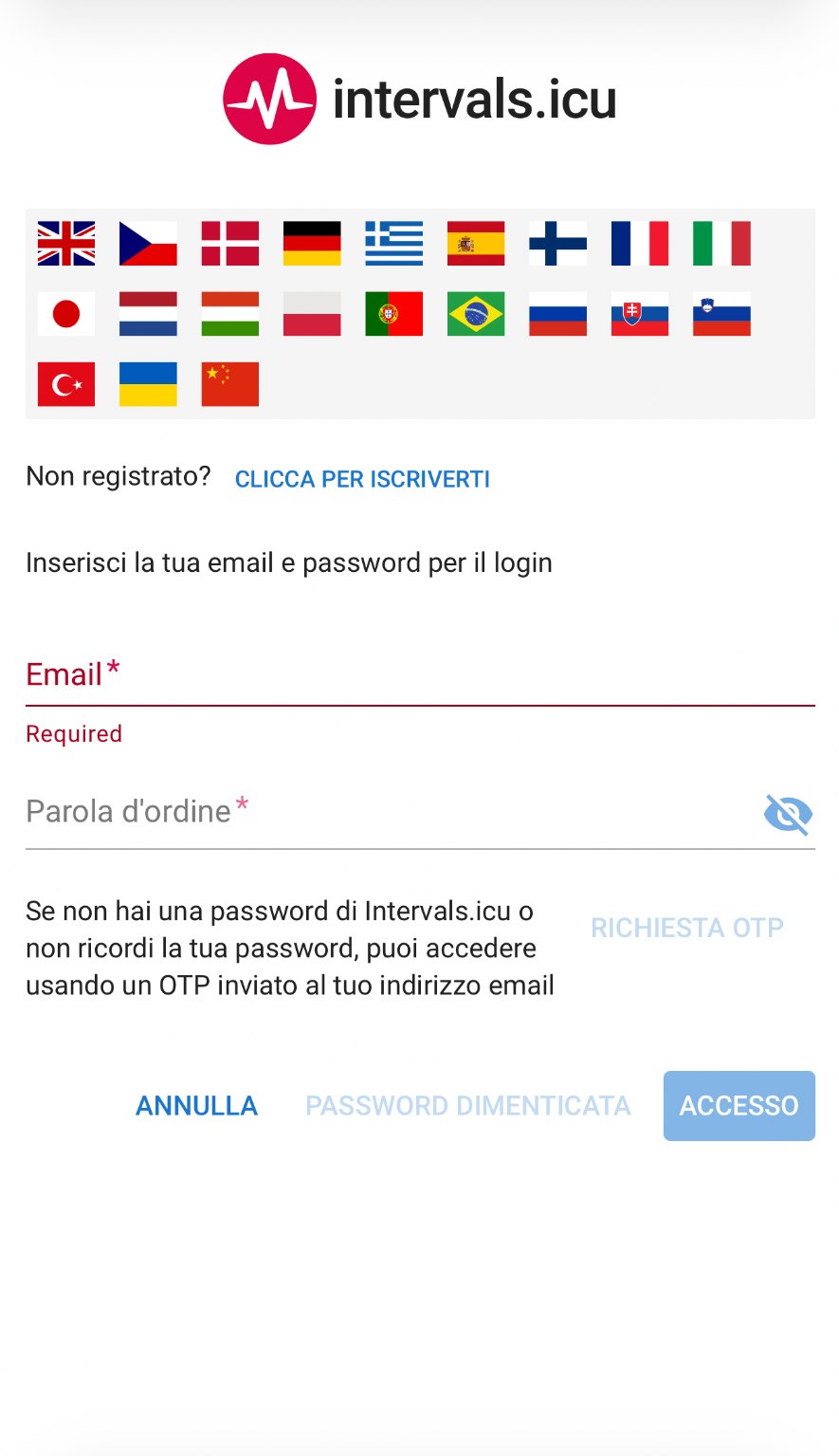
1StepAlready registered? Email and password. Otherwise tap CLICK TO SIGN UP.
Intervals.icu login page
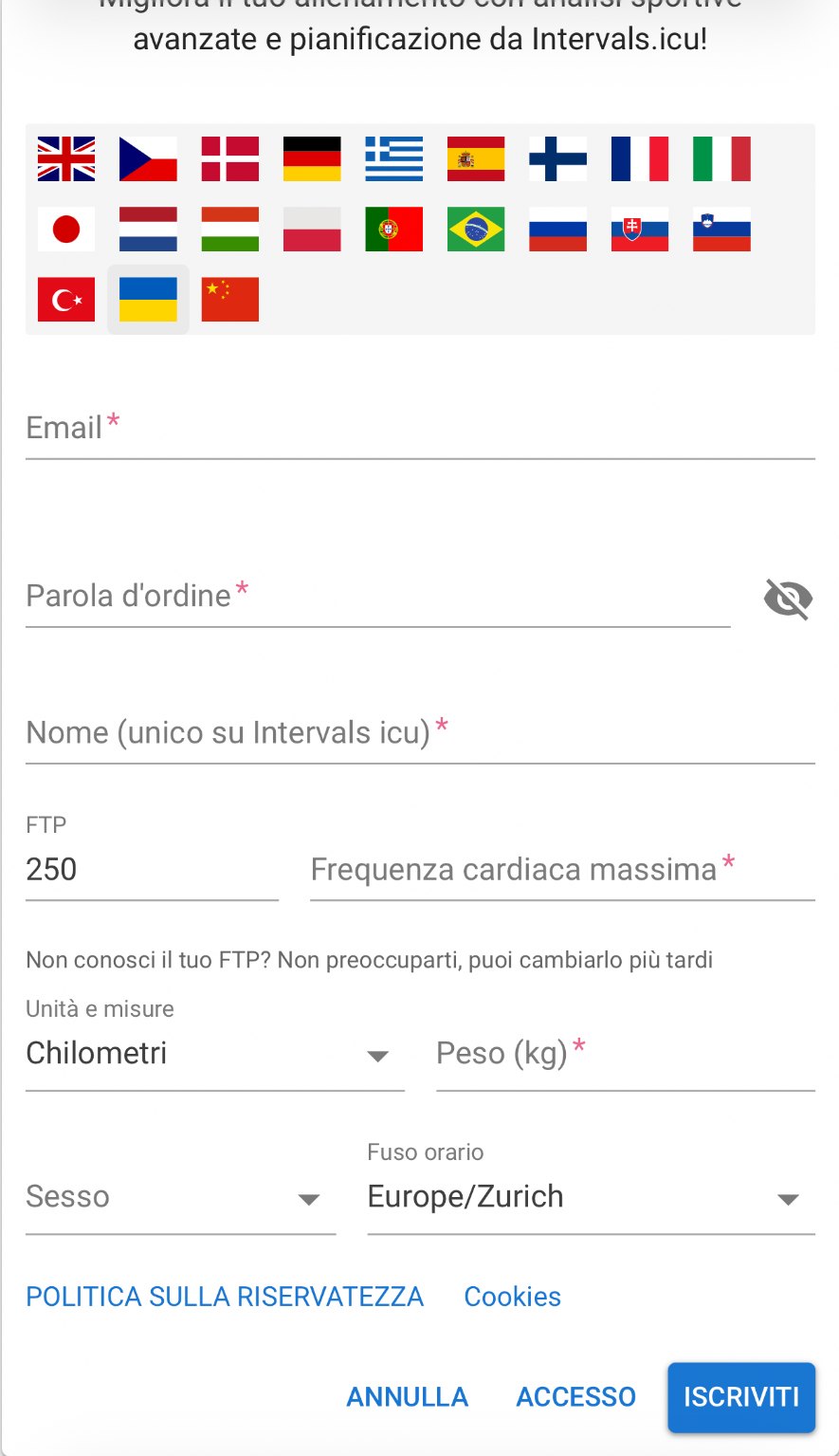
2StepSign-up: email, password, name. FTP, max HR and weight can change later.
Intervals.icu sign-up form

2. Open Settings → Connections

Open the menu with the three lines at the top left (or your profile picture), go to Settings and open the Connections tab.
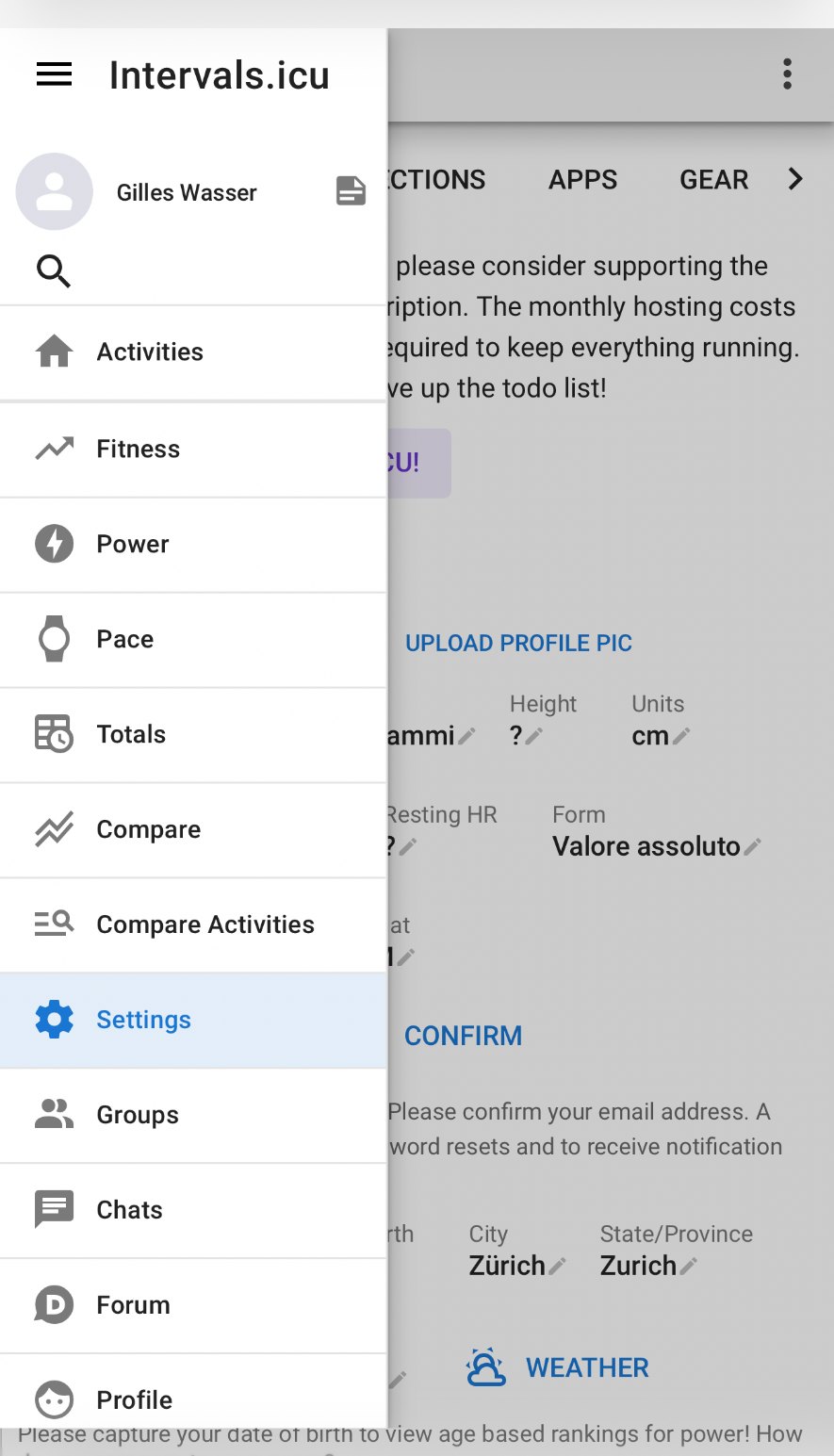
1StepThree lines at the top left → Settings.
Intervals.icu side menu with Settings
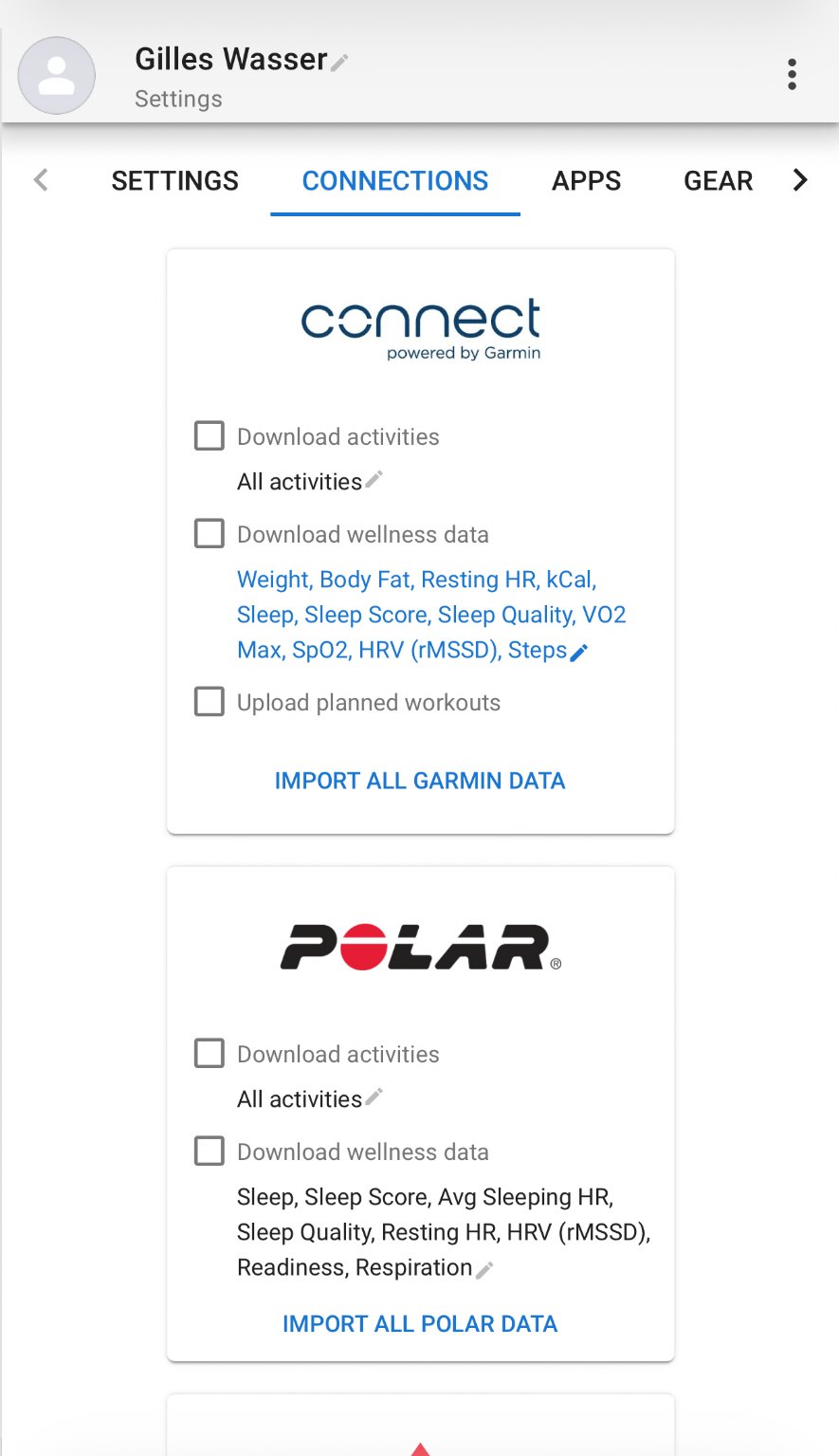
2StepIn the top bar switch to CONNECTIONS: every brand is here.
Intervals.icu Connections tab

3. Connect your brand and accept everything

  • Download activities
  • Download wellness data
  • Upload planned workouts

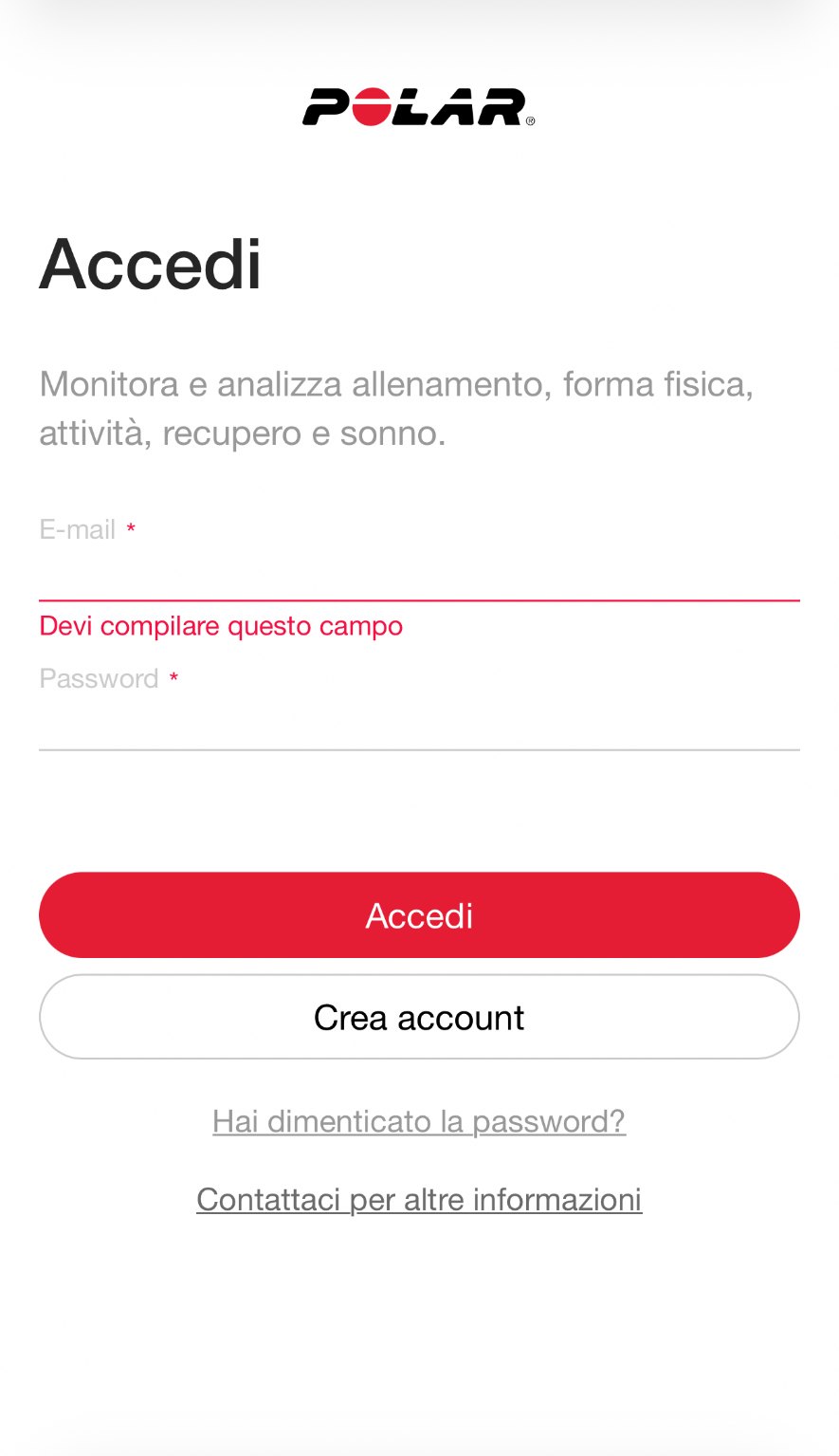
You're taken to the manufacturer's site (Garmin, Polar, Suunto, Whoop…): sign in and confirm all consents there too. If you skip a box, some data won't come through.
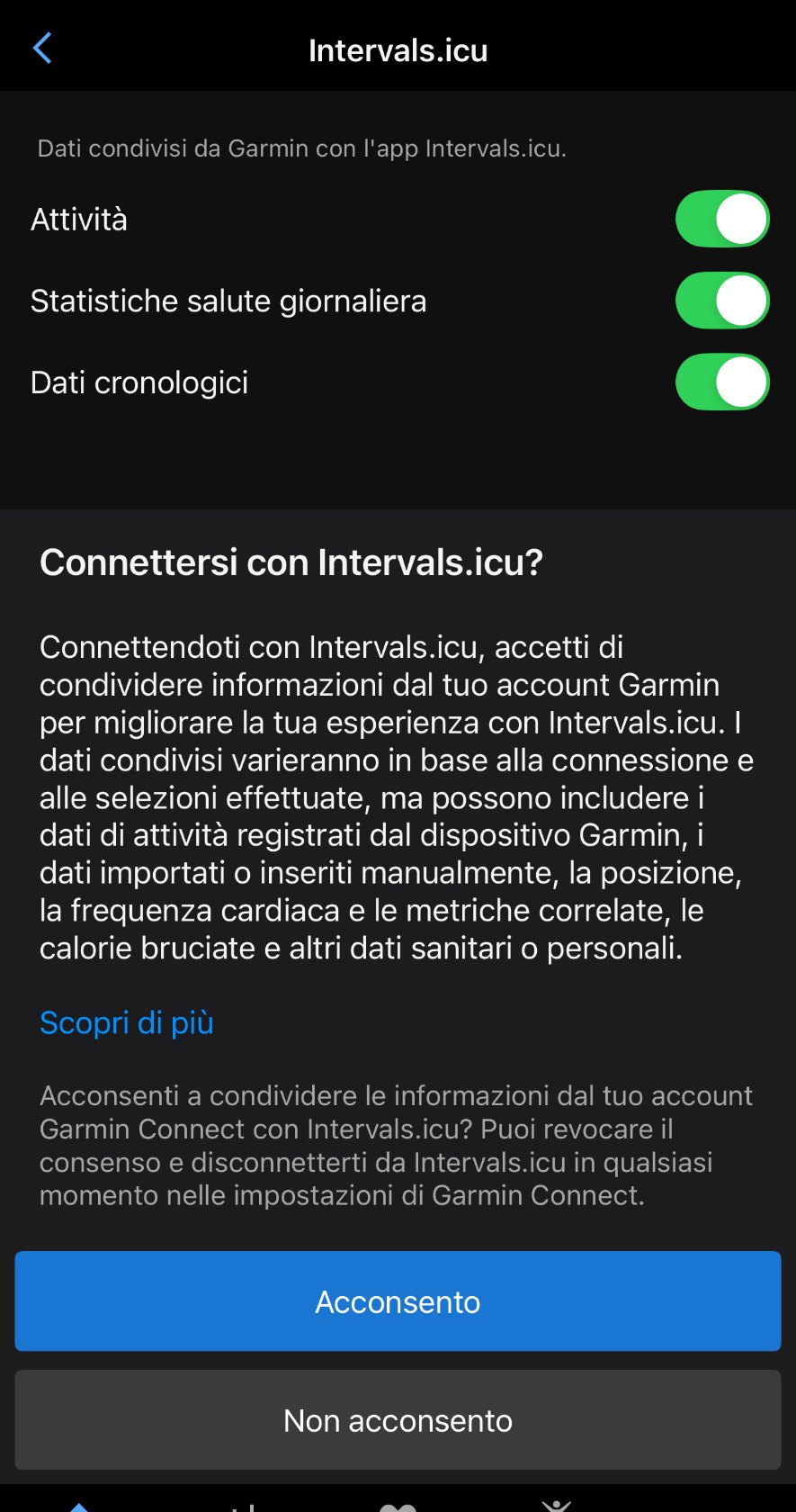
1StepGarmin: enable Activities, Daily health stats and Historical data.
Garmin Connect authorisation
2StepPolar: authorise activities and recovery data.
Polar Flow authorisation

4. Come back to Lapko

Authorise the connection between Intervals.icu and Lapko with this link, then sign in to Lapko with the same email: activities and health data show up by themselves.

Sign in to Lapko
Was this helpful?

Related articles

Back to the help center